Bring Your Voice to Kaya Chat
Meet new people, host live voice conversations, and make every room more engaging. As a Kaya Chat Host, you can take part in host tasks, receive eligible gift rewards, and explore different earning opportunities.
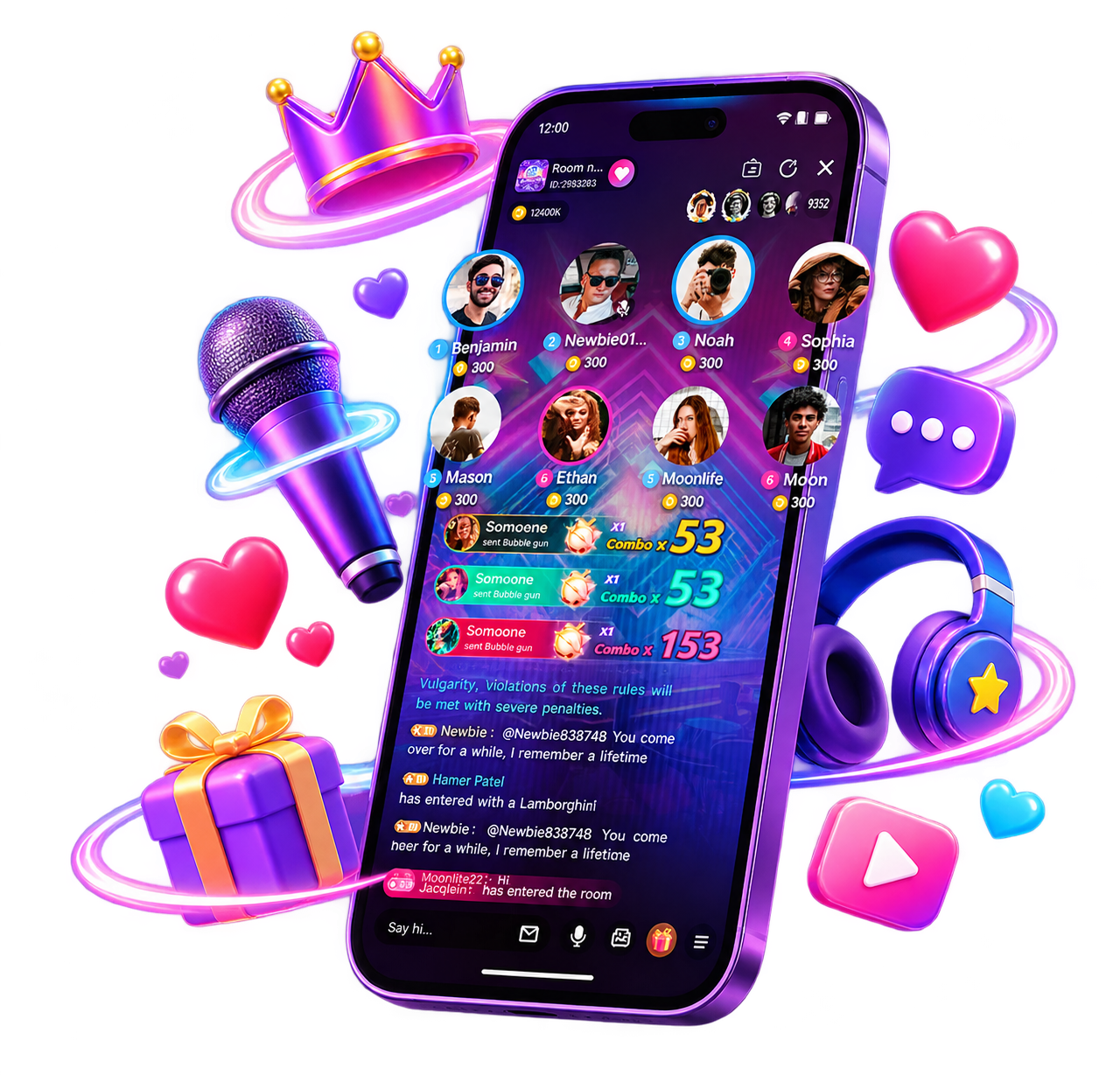
Reward Streams
Explore Ways to Earn on Kaya Chat
Basic Mic-Time Rewards
7-Day Income Task
70% Deluxe Gift Share
2% or 5% Lucky Gift Share
+1% Host Room Owner Bonus
0.1% to 0.3% Game Invitation Commission
3% and 1% Top-Up Invitation Commission
Host Invitation Bonus
Task and Ranking Rewards
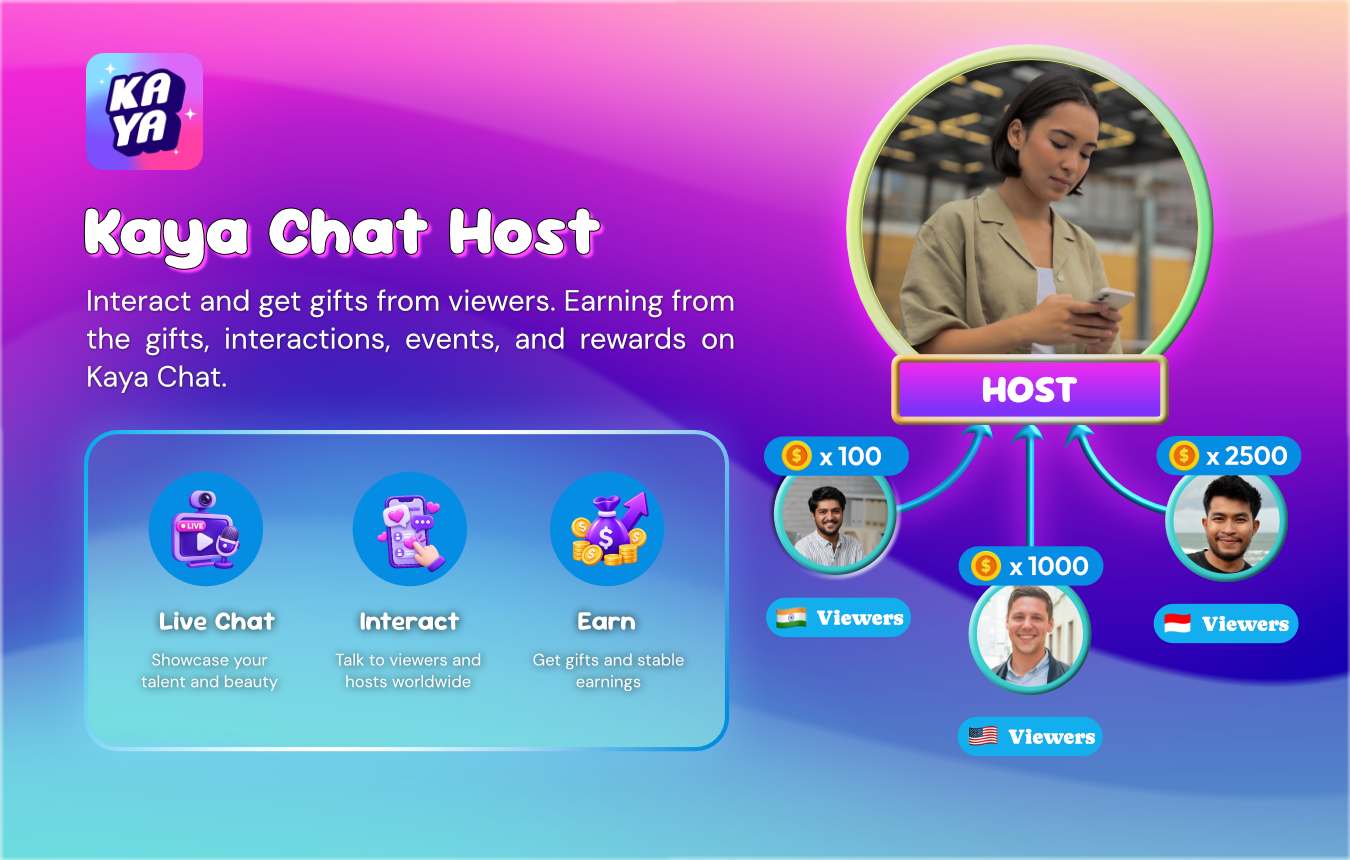
Registration Guide
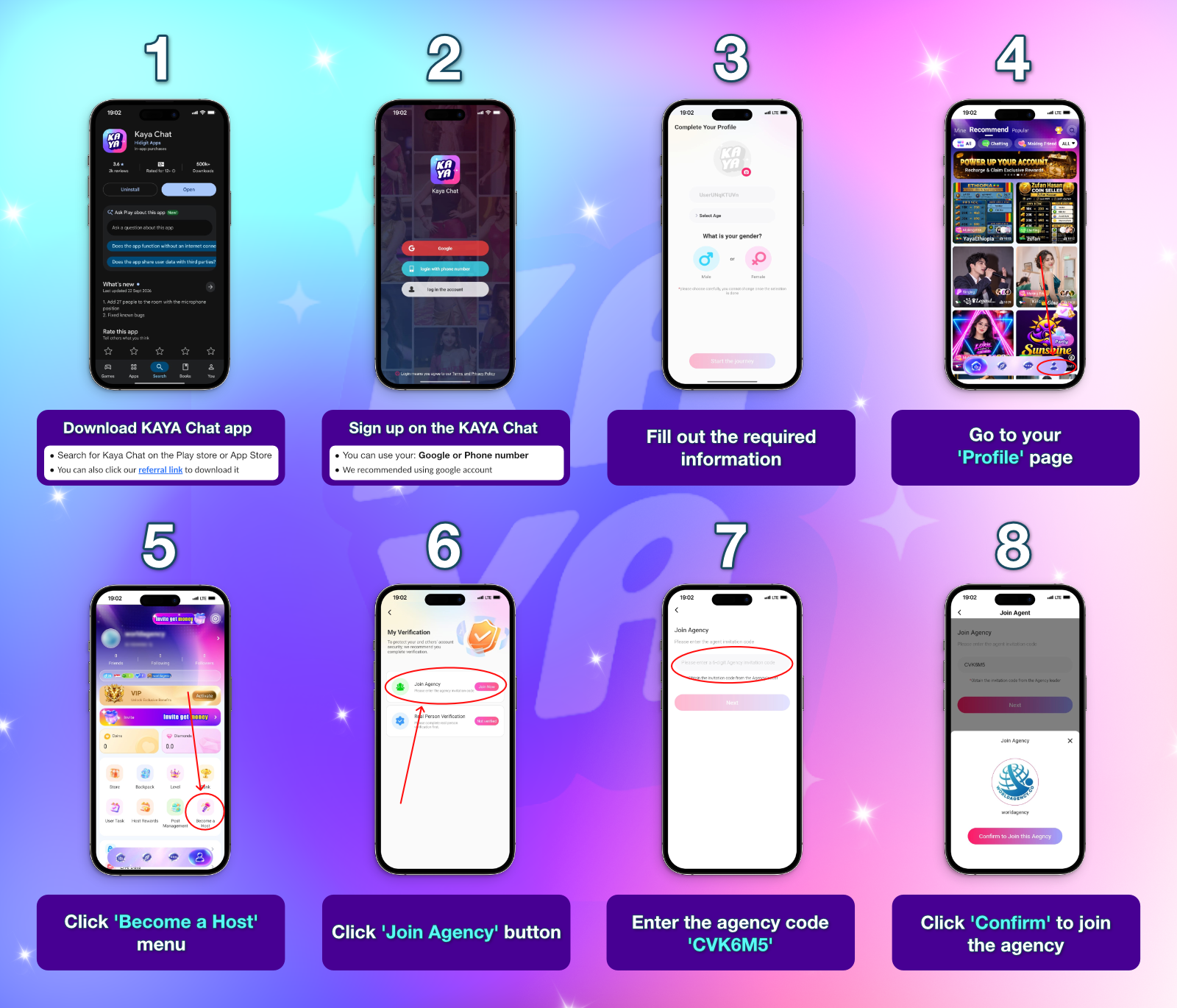
How to Become a Host and Join an Agency
1
Download Kaya Chat. Find it on Google Play or the App Store, or use an official referral link.
2
Create your account. Sign up with Google or your phone number. Google sign-up is recommended.
3
Complete your profile. Fill in the required information.
4
Open your profile. Tap Become a Host.
5
Verify your identity. Select Real Person Verification and follow the instructions.
6
Join an agency via “Profile” > “Become a Host” > “Join Agency” enter the invitation code provided to you (CVK6M5), and tap Confirm.
Identity Verification
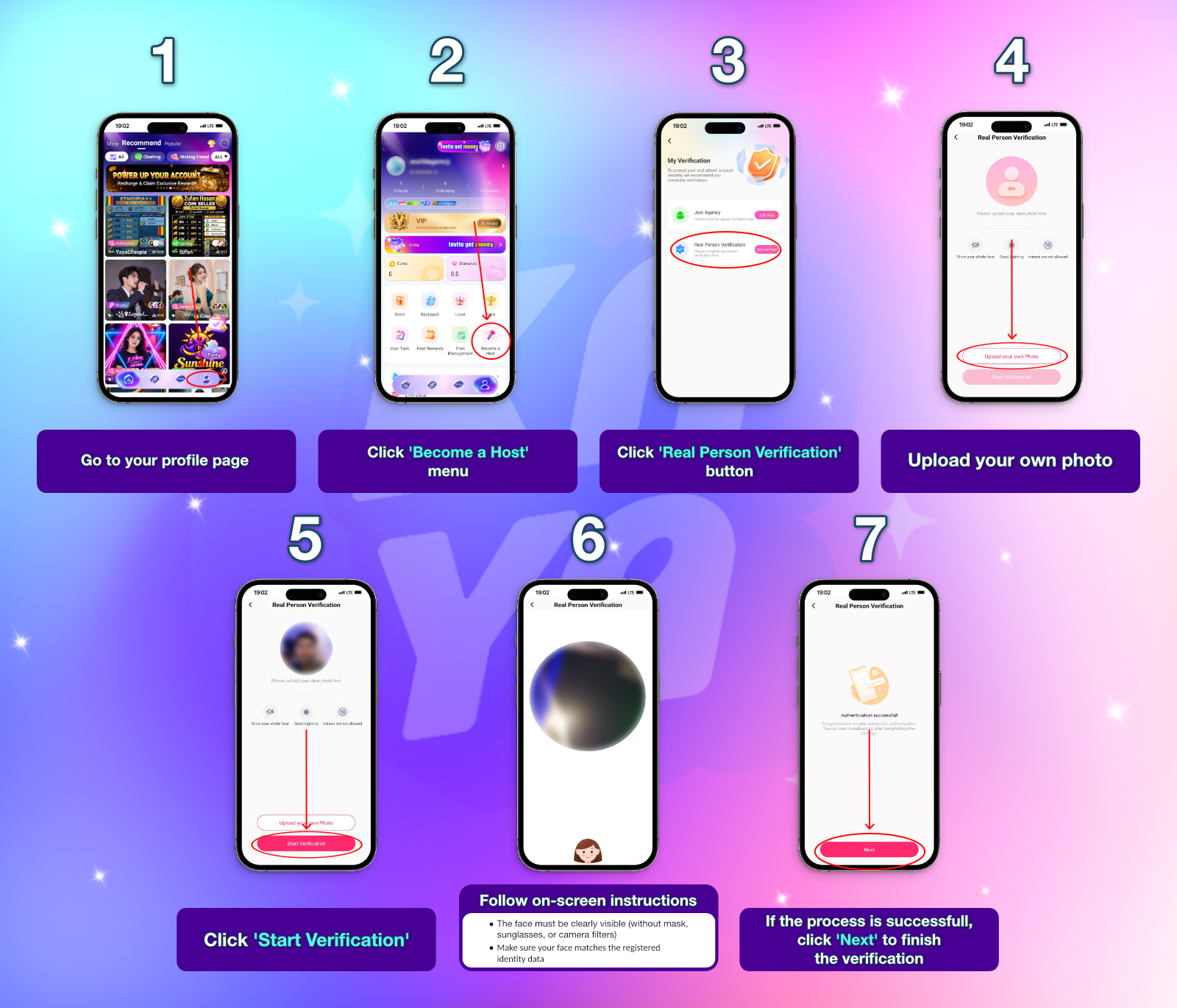
Kaya Chat Face Verification Tutorial
1
Open Kaya Chat and go to your Profile or Me page.
2
Tap Become a Host.
3
Select Real Person Verification.
4
Upload your own photo.
5
Tap Start Verification.
6
Follow the on-screen instructions. Keep your face clearly visible without a mask, sunglasses, or camera filters.
7
Once verification succeeds, tap Next to finish.
Got Questions?
Frequently Asked Questions
A host participates in live voice rooms, interacts with people, and can host conversations of their own.
Download the app, create an account, complete your profile and real-person verification, then join an agency using its invitation code.
Hosts can qualify for mic-time rewards, gift sharing, income tasks, invitation commissions, and ranking rewards. Actual earnings depend on eligibility and the applicable rules.